

- A package (also called a plan) is the template a customer subscribes to.
- A subscription is one customer’s individual instance of that package.
Package types
Packages come in three types:- Fixed - the customer receives the same items each time.
- Variable - you schedule changing shipments over time.
- Pick & Mix - the customer chooses their own items each cycle.
Pricing
Pricing works one of two ways: a single fixed price for the whole package, or per-item pricing where each pick-and-mix item is priced individually.The Subscriber tag
Customers with an active subscription are automatically given a Subscriber tag. This tag is used for subscriber pricing and for building customer segments.Subscriptions
To view your subscriptions:- Log in to your Marzipan account
- Click on Subscriptions in the main navigation menu
- The list displays every customer subscription across all of your packages
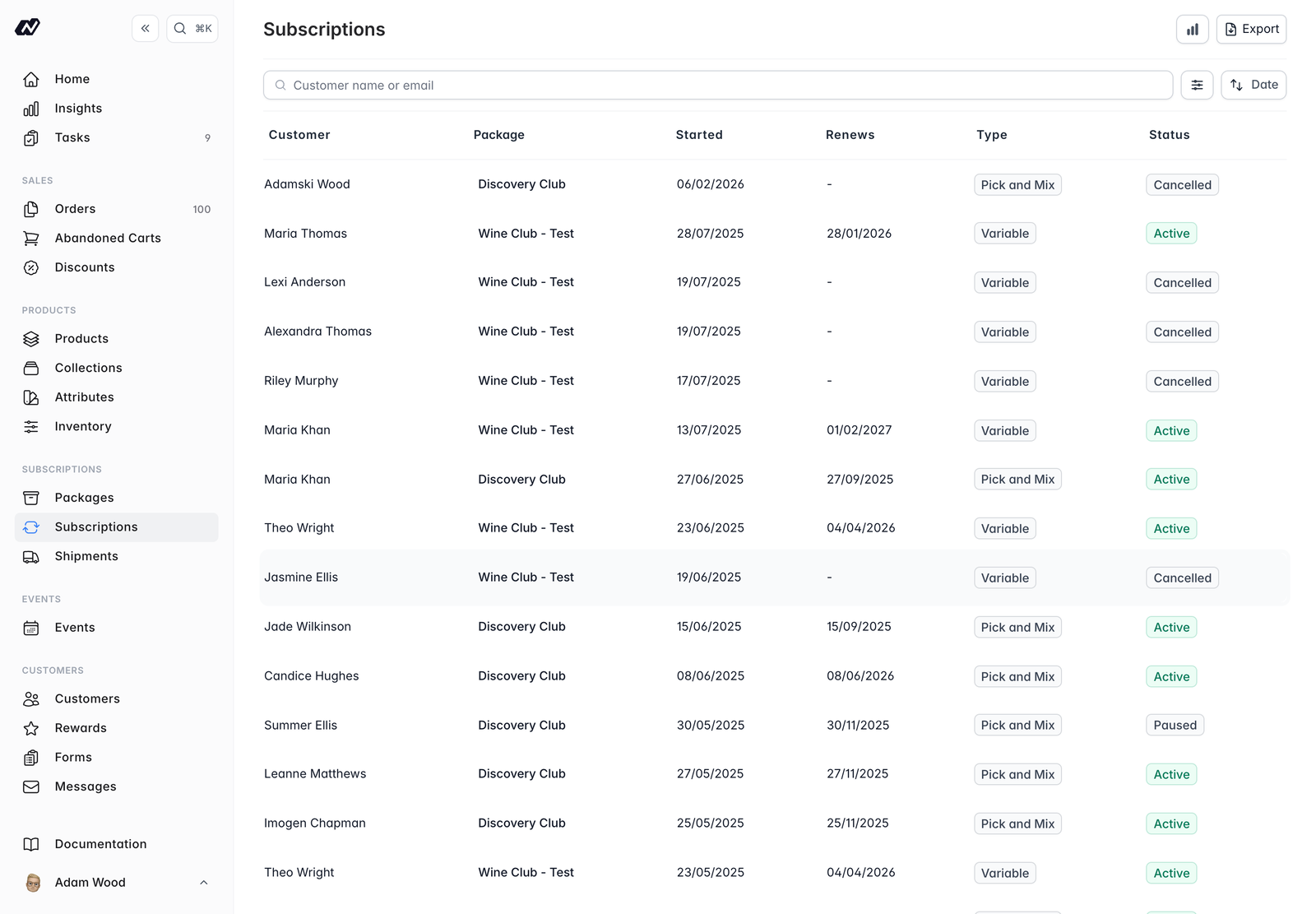
- Customer - the subscriber
- Package - the package they subscribe to
- Started - when the subscription began
- Renews - the next renewal date
- Type -
fixed,variableorpicknmix - Market - only shown on multi-market stores
- Status - the current subscription status
Filtering and searching
You can refine the list with:- Filter by item
- Filter by Status - Active, Cancelled, Expired or Suspended
- Filter by market
- Filter by start date
- A Cancelled/Expired date range
- Search
Exporting subscriptions
Click Export to download the subscriptions in the table as a CSV file.Subscription Insights
For reporting on your plans, use Subscription Insights, where you can review performance and export the underlying data. See Insights for more.Next steps
Packages
Create and edit the plans customers subscribe to
Details
Manage a single subscription and the actions available on it
Shipments
Prepare and send batch shipments for variable packages
Gift subscriptions
Prepaid terms, reveal dates and what happens when a gift runs out
Insights
Report on subscription performance