

- Log in to your Marzipan account
- Click on Customers in the main navigation menu
- By default the list displays all your customers, most recently registered first
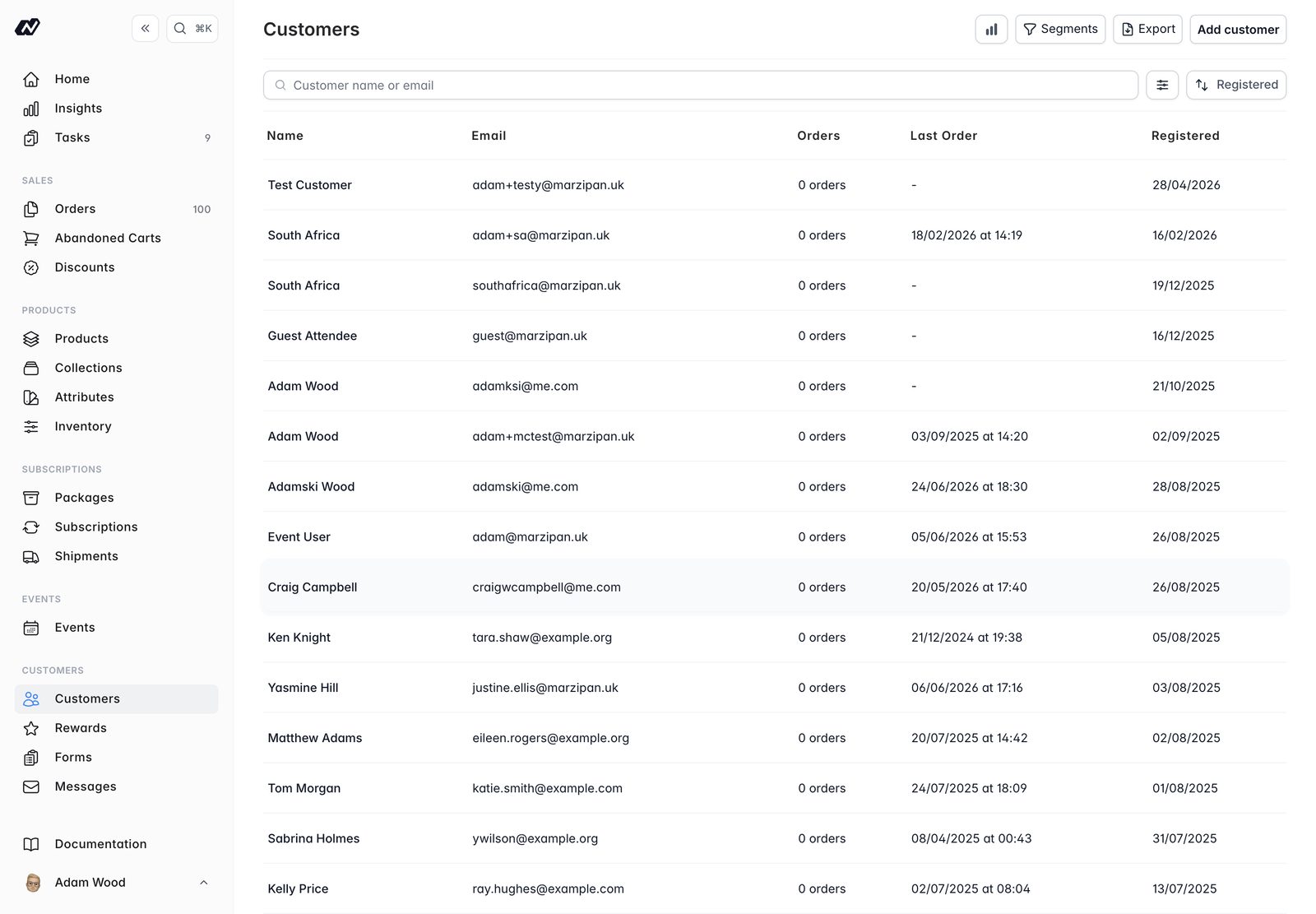
Customers list
The main list shows key information for each customer.
- Name - the customer’s name
- Email - their email address
- Orders - how many orders they have placed
- Last order - when they last ordered
- Registered - when they created their account
Header actions
The top-right corner of the list has a few actions:- Customer Insights - opens the customers report so you can review your customer base (see Insights)
- Segments - view and manage your customer segments
- Export - download the customers in the list as a CSV file
- Add customer - open the new customer form
Filtering
You can narrow the list using the following filters:- Customer type -
DirectorWholesale - Has subscription - customers with an active subscription
- Mailing list - customers subscribed to a given list
- Segment - customers in a chosen segment
- Number of orders
- RFM segment - an automatic loyalty segment based on how recently, how often and how much a customer buys:
Champions,Loyal Customers,Potential Loyalists,Promising,New Customers,Need Attention,About to Sleep,At Risk,Cannot Lose,HibernatingandLost - Tags
- Total spent
- Archived - include archived customers
- Market - only shown when your store has more than one market
Next steps
Add a customer
Create a customer record manually, including their type and default address.
Customer profile
Explore a customer’s orders, subscriptions, emails, rewards and activity.
Segments
Group customers into dynamic segments based on their behaviour and attributes.