

- Log in to your Marzipan account
- Click on Subscriptions in the main navigation menu
- Select Shipments
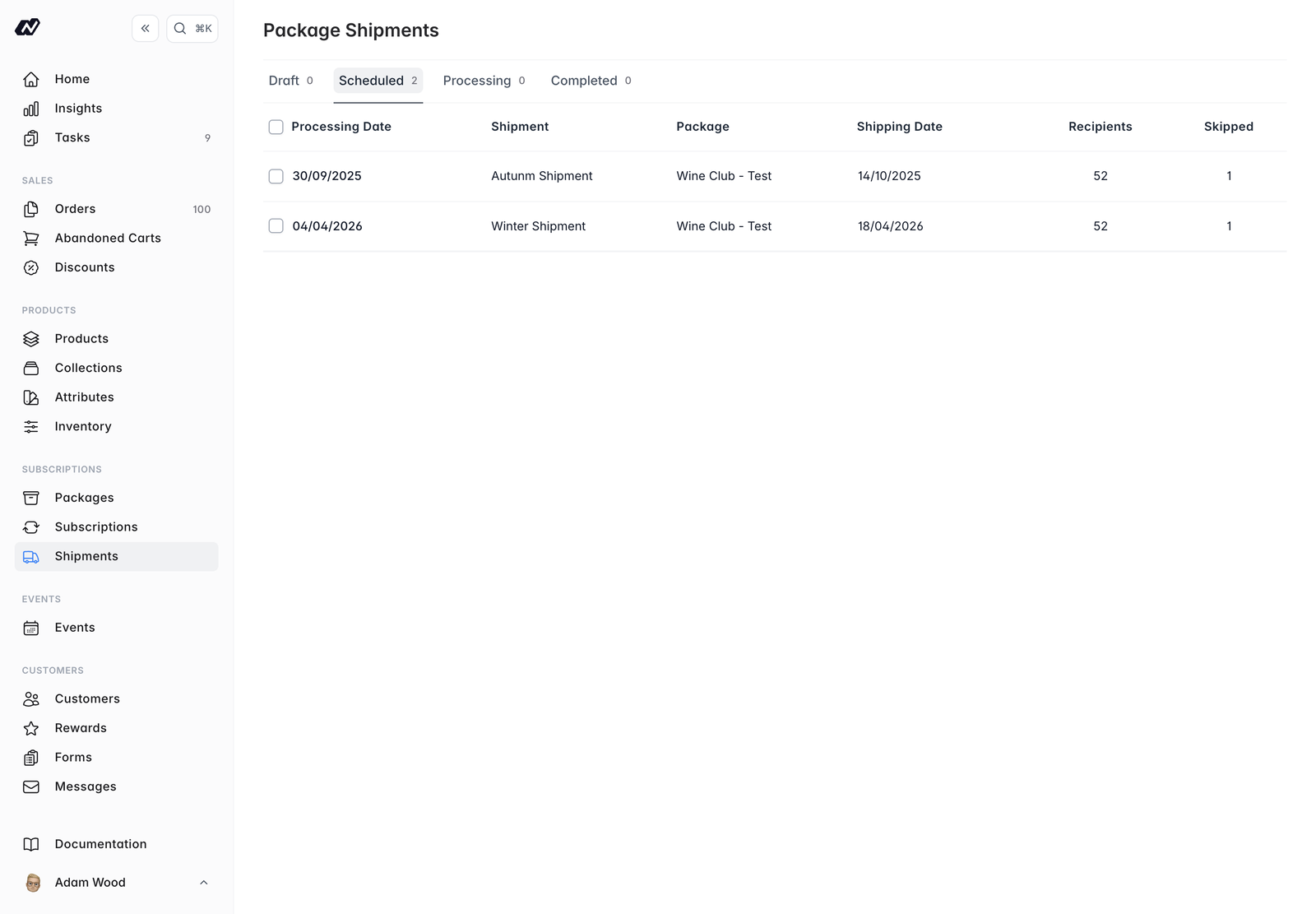
Batch shipments apply to variable packages only. Variable packages also have a Shipments tab on the package detail screen, where you schedule the changing shipments over time. See Packages.
Dated shipments and windows
The shipments list covers both kinds of shipment a variable package can use, both those with scheduled dates and those with an availability window, ordered by whichever date they carry. The date columns are relabelled when windows are present. A dated shipment goes to every active subscriber. A window only concerns the subscribers whose renewal falls inside it, so its recipient list and pick lists are scoped to them rather than to the whole plan.Customers see the window covering their next billing date in their upcoming shipments.
Shipment statuses
Shipments move through status tabs:- Draft - not yet scheduled
- Scheduled - queued to go out
- Processing - currently being sent
- Completed - sent
Recipients
Each shipment lists its recipients, along with skipped and failed counts. Skipped and failed subscribers show the reason, so you can see why a shipment did not go out.Inventory estimates
View inventory estimates to see the stock a shipment needs before you send it:- The required quantity per location
- The available quantity per location