

- Log in to your Marzipan account
- Click on Messages in the main navigation menu
- Your conversations will be listed, with flagged and unread conversations at the top
Layout
The inbox has two panes.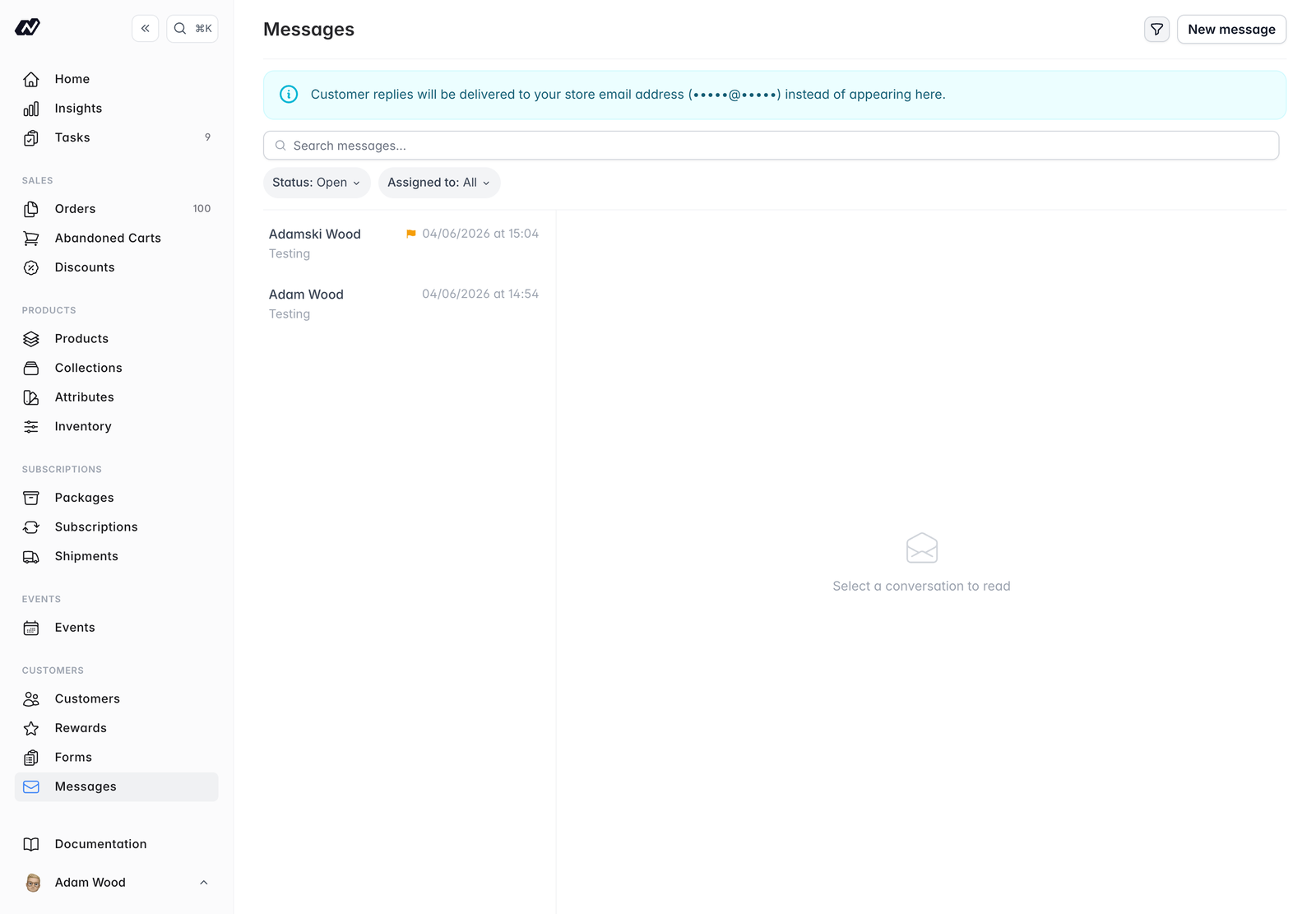
- Conversation list (left) - conversations grouped by customer, each showing unread and flagged indicators and a short preview. Flagged and unread conversations sort to the top.
- Thread (right) - the conversation you’ve selected.
Reading and replying
Open a conversation to read the full thread, with incoming messages from the customer shown separately from your replies.- Reply from the box at the bottom of the thread. Press Cmd/Ctrl+Enter to send.
- Use Reply & close to send your reply and close the conversation in one step.
Opening an unread, unassigned conversation automatically assigns it to you and marks it as read.
Assigning and organising
Keep your inbox tidy and share the workload across your team:- Assign a conversation to a team member.
- Flag a conversation to mark it for follow-up.
- Close a conversation when it’s resolved, and reopen it if you need to.
Filtering and searching
You can filter conversations by:- Status -
openorclosed - Assignee - including Me, to see just the conversations assigned to you
Compose
To start a fresh conversation with a customer, click New message.Form submissions
Submissions from your contact forms arrive in Messages as conversations, with the submitted field values shown inline so you have the full context before you reply. See Submissions for more on setting these up.In this section
Inbound setup
Set up MX records so customer replies arrive in your inbox