

Roles
Navigate to Settings > Roles to manage roles.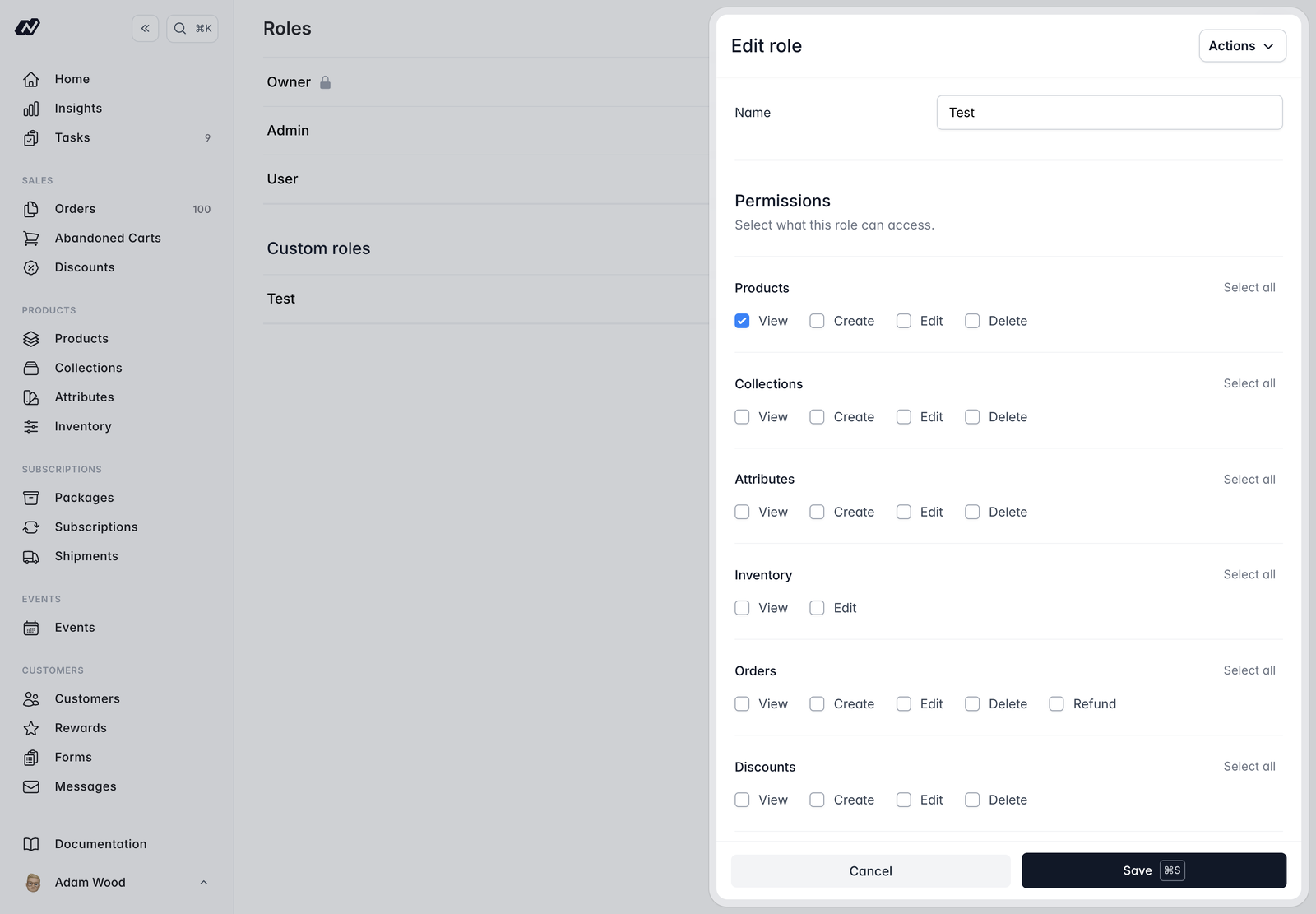
- Products
- Collections
- Attributes
- Inventory
- Orders - including refunds
- Discounts
- Gift Vouchers - separate permissions for viewing, issuing, and editing (voiding, adjusting and resending)
- Customers
- Subscriptions - including pause and cancel
- Subscription Packages
- Shipments
- Events
- CMS
- Media
- Flows
- Tasks - including who can assign work to someone else, and who can see other people’s tasks
- Marketing
- Insights - per report
- Abandoned Carts
- Rewards
- Forms
- Settings
- Team
- Integrations
- Roles
- POS / Tap to Pay
System roles have every permission and can’t be edited. Create your own role when you need a tailored set of permissions.
Reading the task list and completing a task assigned to you stay open to everyone, whatever their role. The Tasks permissions govern creating, editing and deleting tasks, putting work on someone else’s list, and seeing tasks that aren’t yours.