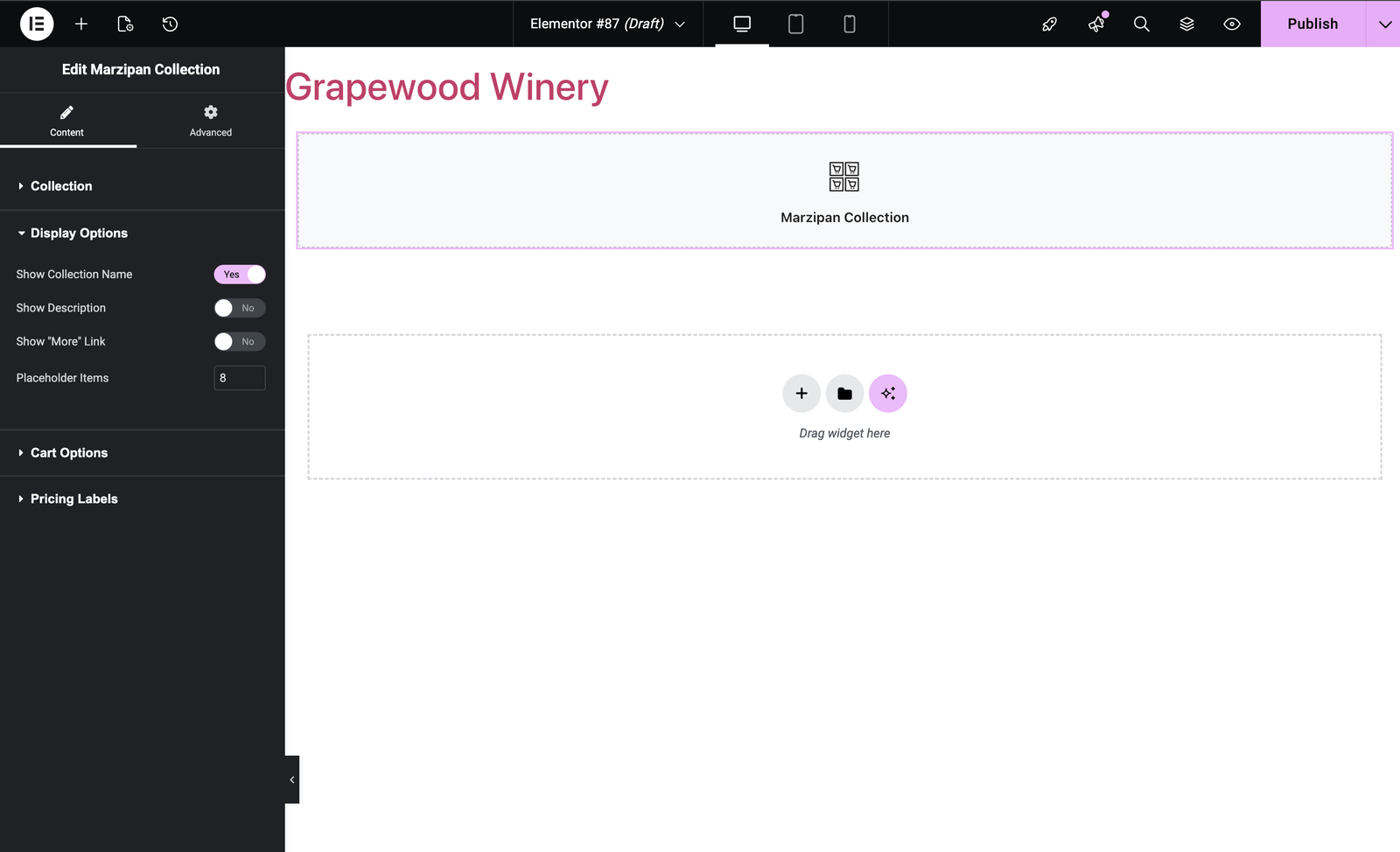

The Marzipan for WordPress plugin integrates Marzipan’s web components directly into your WordPress site, providing Gutenberg blocks, Elementor widgets, and shortcodes for displaying products, carts, and subscription management.
Requirements
- WordPress 6.0 or higher
- PHP 7.4 or higher
- A Marzipan account with API access
Installation
- Download the plugin from your Marzipan dashboard
- Upload the
marzipan-for-wordpress folder to /wp-content/plugins/
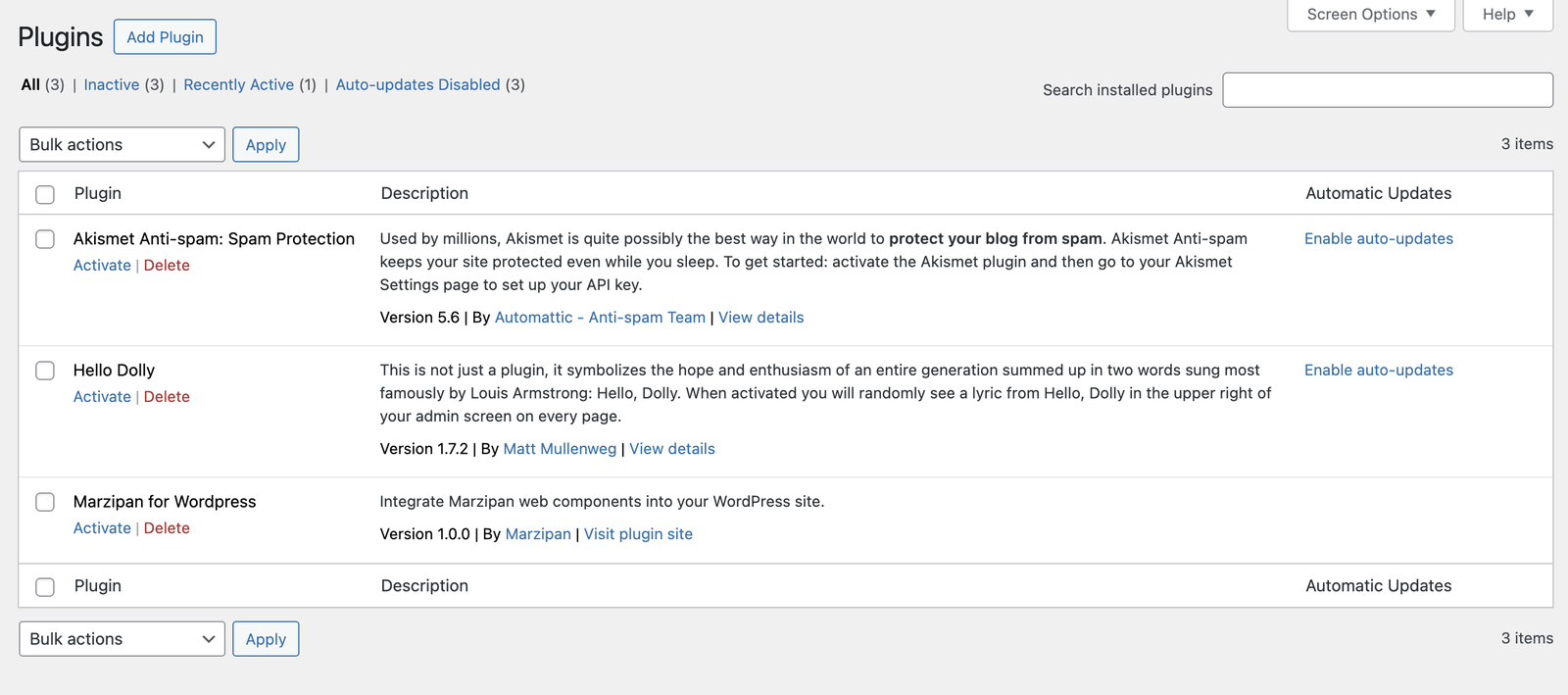
- Activate the plugin through the Plugins menu in WordPress
- Navigate to Settings > Marzipan to configure
Configuration
After activation, go to Settings > Marzipan to enter your API token.
Getting Your API Token
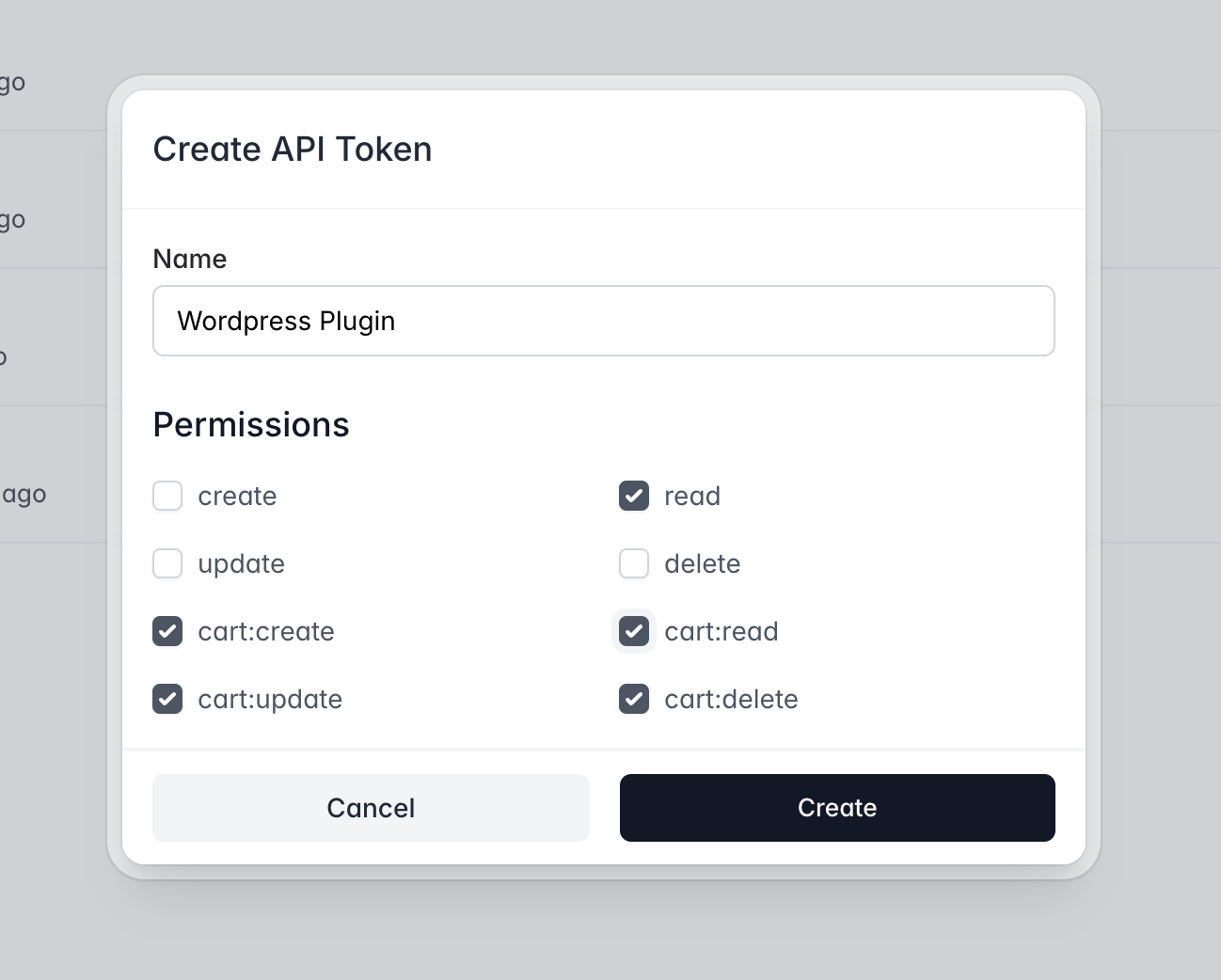
- Log into your Marzipan dashboard
- Navigate to Settings > API
- Create an API token
Settings Page
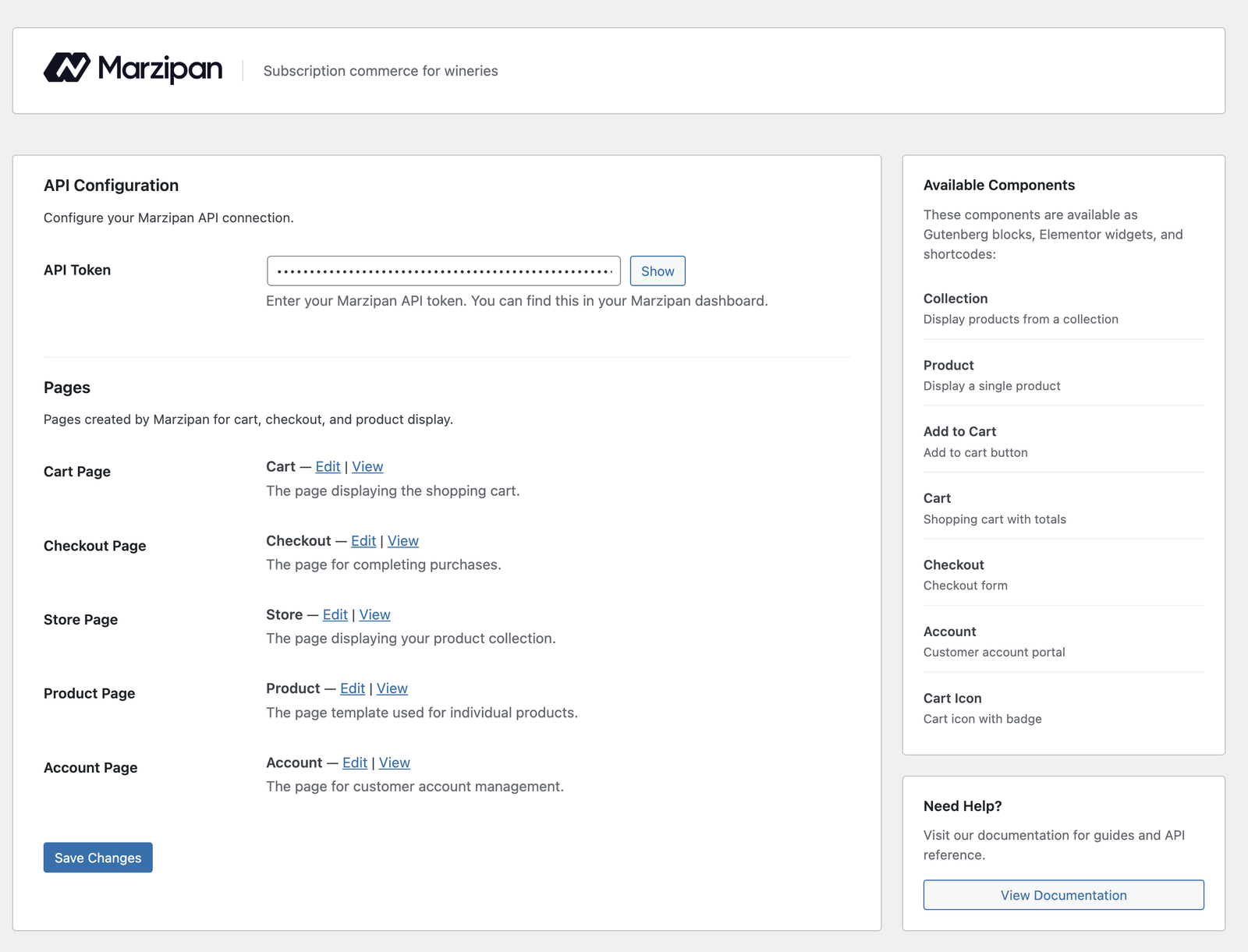
The settings page displays:
- API Token - Your Marzipan API token (required)
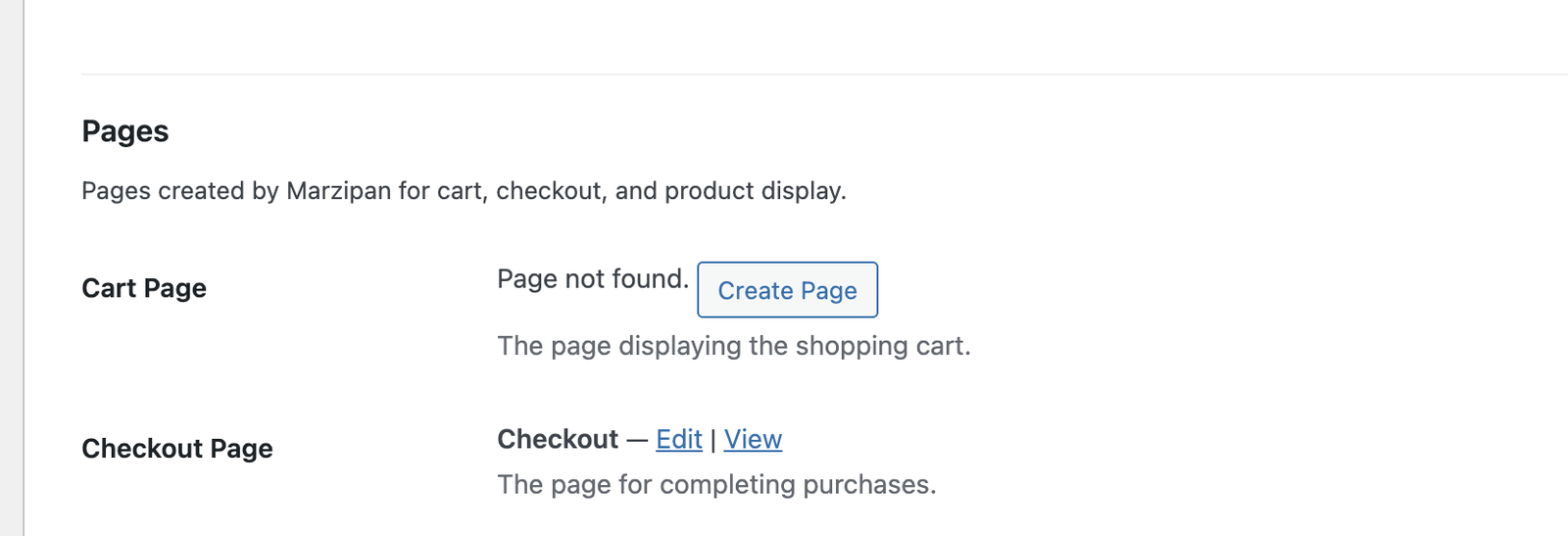
- Pages - Links to view and edit the auto-generated pages
Auto-Generated Pages
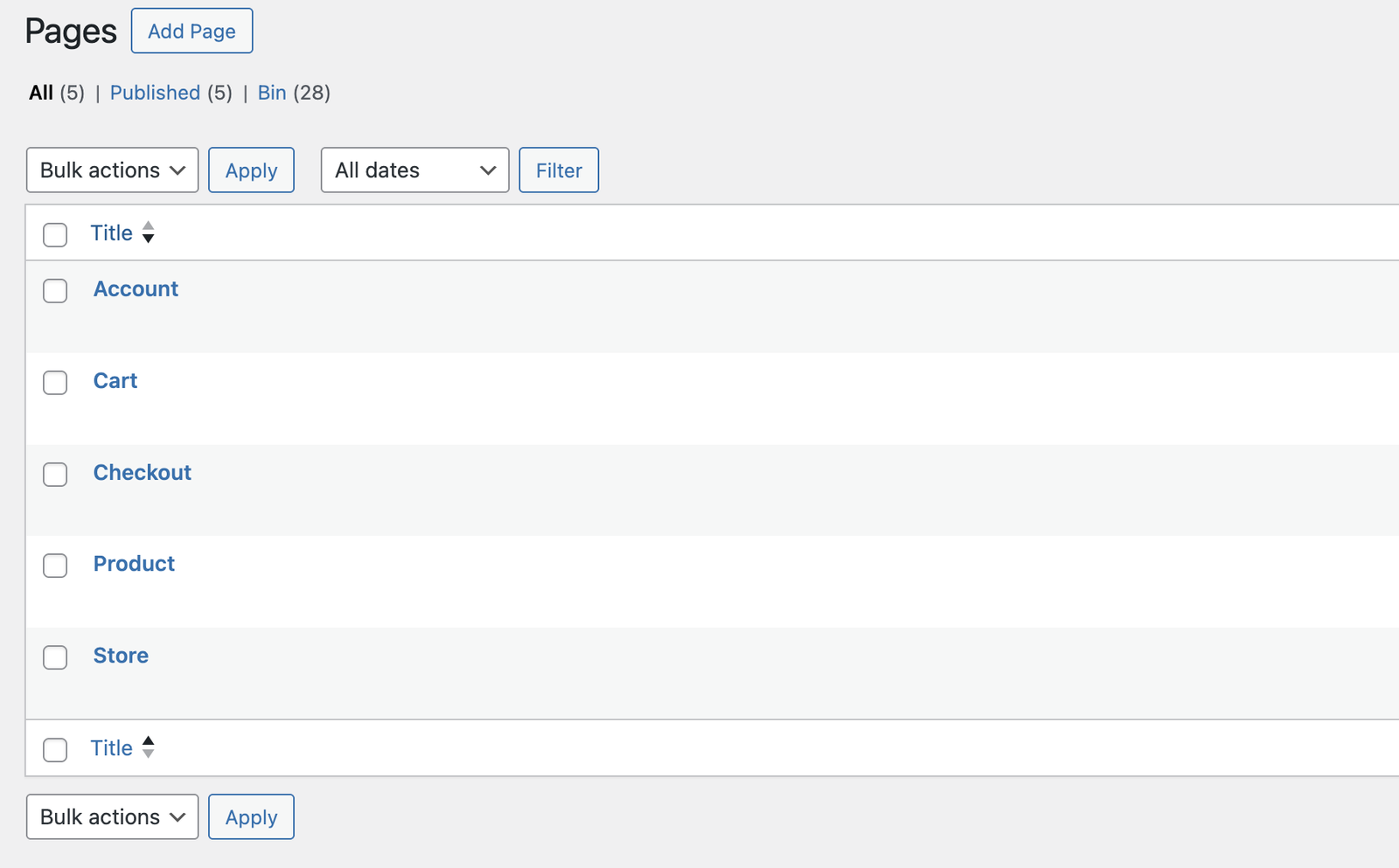
On activation, the plugin automatically creates six pages with locked Gutenberg blocks:
| Page | URL | Purpose |
|---|
| Store | /store | Product collection display |
| Product | /product | Individual product detail template |
| Cart | /cart | Shopping cart |
| Checkout | /checkout | Checkout form |
| Account | /account | Customer account management |
| Contact | /contact | Contact form |
These pages contain locked blocks that cannot be accidentally deleted, ensuring your store functions correctly.
Gutenberg Blocks
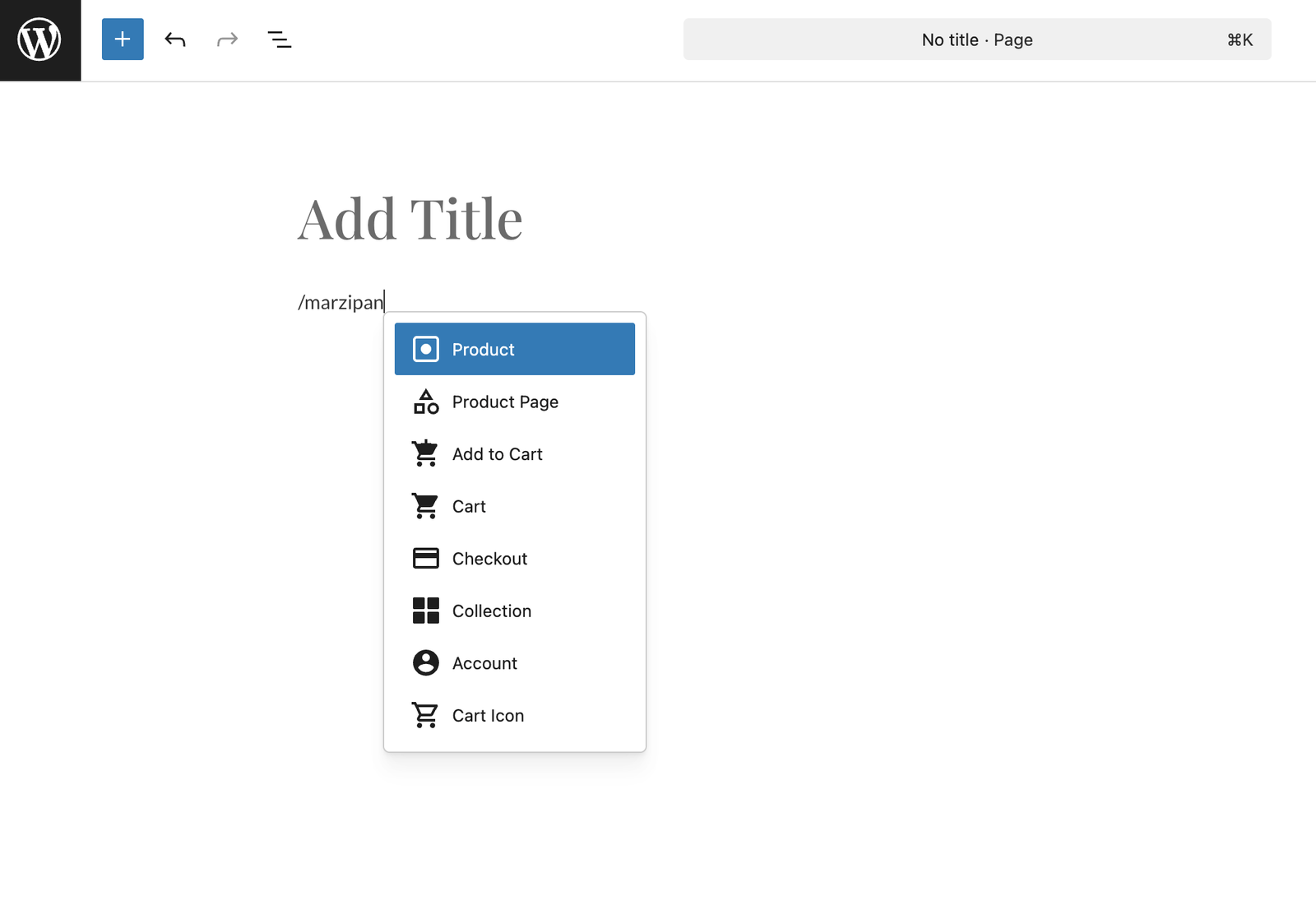
The plugin provides 9 Gutenberg blocks in the Marzipan category:
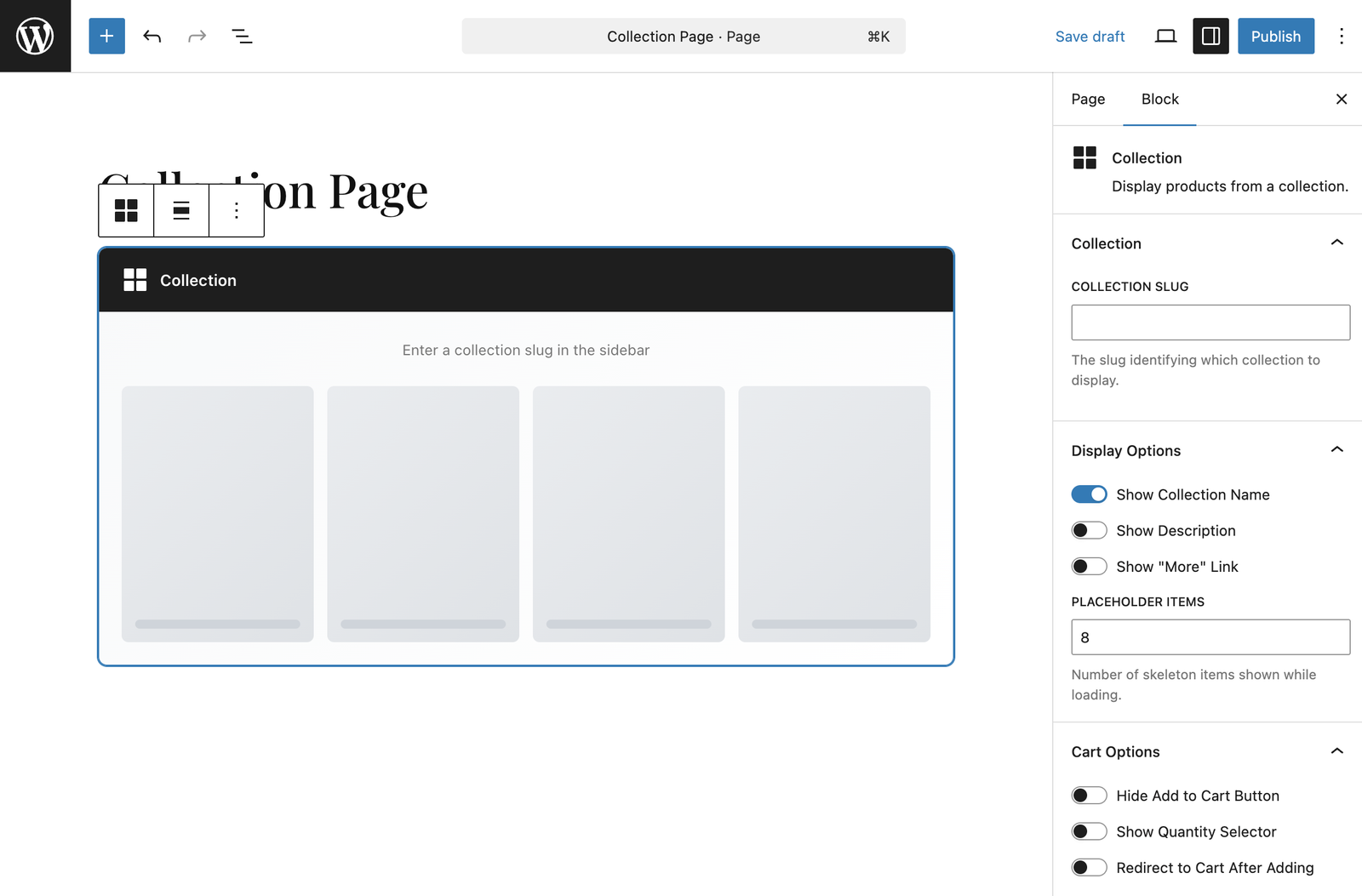
Collection Block
Display products from a specific collection with filtering options.
Product Block
Display a single product with configurable view modes (mini or full).
Product Page Block
Full product detail page template with all product information.
Add to Cart Block
A dedicated add-to-cart button with quantity options.
Cart Block
Shopping cart displaying line items and totals.
Checkout Block
Complete checkout form for processing orders.
Account Block
Customer account portal for managing subscriptions and orders.
Dynamic form that renders a form created in your Marzipan dashboard. Select the form by slug in the block settings.
Cart Icon Block
Cart icon with item count badge, perfect for navigation menus.
If you use Elementor, the plugin provides 7 widgets:
- Product
- Collection
- Add to Cart
- Cart
- Account
- Form
- Cart Icon
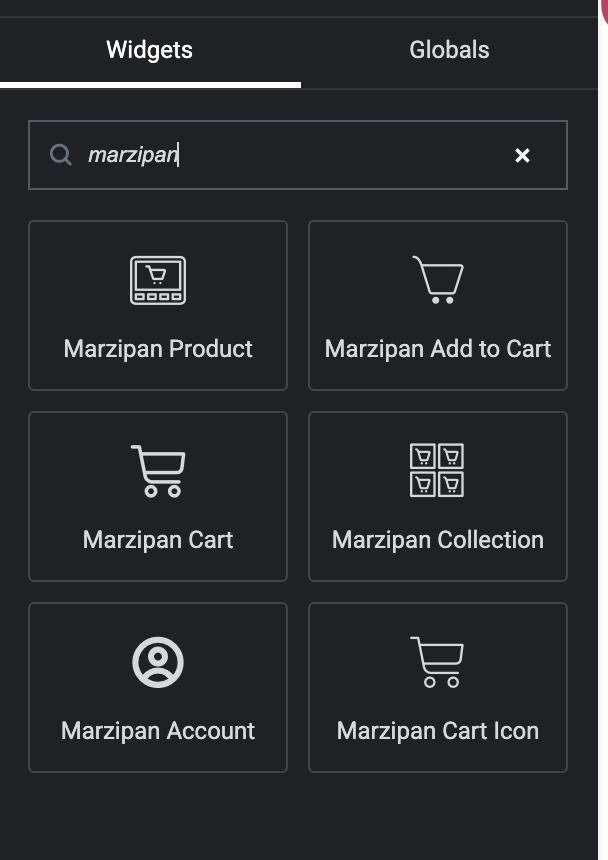
Find them in the Elementor widget panel under the Marzipan category.
They can be easily dragged and dropped into any Elementor layout and then configured via the widget settings.
Shortcodes
For use in the classic editor, template files, or anywhere WordPress shortcodes are supported. Shortcodes accept the same settings as the web component props, using underscores instead of hyphens.
| Shortcode | Description |
|---|
[marzipan_collection] | Display a product collection |
[marzipan_product] | Display a single product |
[marzipan_addtocart] | Add to cart button |
[marzipan_cart] | Shopping cart |
[marzipan_checkout] | Checkout form |
[marzipan_product_page] | Full product page |
[marzipan_account] | Customer account portal |
[marzipan_form] | Dynamic form |
[marzipan_carticon] | Cart icon with count |
Collection Shortcode
Display products from a specific collection with full control over display options.
[marzipan_collection
collection="red-wines"
show_description="true"
show_subscriber_pricing="true"
placeholder_items="12"
add_to_cart_text="Buy Now"
redirect_to_cart="false"
]
| Attribute | Description | Default |
|---|
collection | Collection slug (required) | — |
show_collection_name | Show the collection title | true |
show_description | Show product descriptions | default |
show_more_link | Show “view more” link on products | false |
show_more_text | Text for the “view more” link | More |
placeholder_items | Number of loading placeholders | 8 |
hide_add_to_cart_button | Hide the add to cart button | false |
show_cart_quantity | Show quantity selector | default |
redirect_to_cart | Redirect to cart after adding | default |
add_to_cart_text | Custom button text | Add to Cart |
show_subscriber_pricing | Show member pricing | default |
sale_badge_text | Text for sale badges | Sale |
subscriber_badge_text | Text for subscriber badges | Subscribers |
subscriber_price_label | Label for subscriber pricing | for subscribers |
bundle_text | Unit text for bundles | bundle |
Product Shortcode
Display a single product in either mini (card) or full (page) view.
[marzipan_product product="reserve-cabernet" view="full"]
| Attribute | Description | Default |
|---|
product | Product slug or ID (required) | — |
view | Display mode: mini or full | mini |
show_collection_name | Show the collection name | true |
show_subscriber_pricing | Show member pricing | default |
hide_add_to_cart_button | Hide the add to cart button | false |
redirect_to_cart | Redirect to cart after adding | false |
add_to_cart_text | Custom button text | Add to Cart |
sale_badge_text | Text for sale badges | Sale |
subscriber_badge_text | Text for subscriber badges | Subscribers |
Add to Cart Shortcode
A standalone add-to-cart button for embedding anywhere on your site.
[marzipan_addtocart
product_id="550e8400-e29b-41d4-a716-446655440000"
product_type="physical"
button_text="Add to Cart"
show_quantity="true"
]
| Attribute | Description | Default |
|---|
product_id | Product UUID (required) | — |
product_type | physical, bundle, event, or subscription | physical |
button_text | Custom button text | Add to Cart |
show_quantity | Show quantity selector | false |
quantity | Default quantity | 1 |
redirect | Redirect to cart after adding | false |
availability | all or subscribers | all |
out_of_stock | Show as out of stock | false |
disabled | Disable the button | false |
Cart Shortcode
[marzipan_cart empty_cart_message="Your cart is empty — browse our wines!"]
| Attribute | Description | Default |
|---|
empty_cart_message | Custom empty cart message | You have nothing in your cart. |
Cart Icon Shortcode
A small cart icon with item count badge, ideal for navigation menus or headers.
[marzipan_carticon icon_style="bag-outline" cart_path="/cart"]
| Attribute | Description | Default |
|---|
cart_path | Path to the cart page | /cart |
icon_style | cart-outline, cart-solid, bag-outline, or bag-solid | bag-outline |
Account Shortcode
[marzipan_account disable_pick_mix_subscription_edit="false"]
| Attribute | Description | Default |
|---|
disable_pick_mix_subscription_edit | Prevent customers from editing pick & mix selections | false |
Display a form created in your Marzipan dashboard.
[marzipan_form slug="contact-us"]
| Attribute | Description | Default |
|---|
slug | Form slug as defined in your dashboard (required) | — |
button_text | Custom submit button text | Submit |
success_message | Custom success message | Form setting |
Checkout Shortcode
No attributes are required for the checkout shortcode.
Product URLs
Product detail pages are automatically accessible at /store/{product-slug}. The plugin handles URL rewriting so visitors see the full product page when navigating to a product.
For example, if you have a product with the slug reserve-cabernet, it will be accessible at:
https://yoursite.com/store/reserve-cabernet
SEO Integration
The plugin integrates with popular SEO plugins to ensure proper canonical URL handling on product pages:
- Yoast SEO
- RankMath
- SEOPress
- All in One SEO
Theme Compatibility
The plugin works with any WordPress theme. All auto-generated pages use your active theme’s templates, headers, and footers.
If you use a caching plugin, you may need to exclude the cart and checkout pages from caching to ensure real-time cart updates.
Troubleshooting
Pages Not Displaying Correctly
If a page was accidentally deleted, you can recreate it from the Settings > Marzipan page. Click the Create button next to the missing page.
Products Not Loading
Verify that:
- Your API token is entered correctly
- Your Marzipan account is active
- You have products configured in your Marzipan dashboard
Styling the Components
See the Styling guide for customizing the appearance of components to match your branding.
Uninstalling
When the plugin is uninstalled:
- The API token setting is removed
- Rewrite rules are flushed
- Created pages are not automatically deleted (you can remove them manually if desired)