> ## Documentation Index
> Fetch the complete documentation index at: https://docs.marzipan.co/llms.txt
> Use this file to discover all available pages before exploring further.
# Shipments
> Prepare and send batch shipments for variable packages
For **variable** packages, the **Shipments** fulfilment view lets you prepare and send shipments to many subscribers at once.
To view your shipments:
1. Log in to your Marzipan account
2. Click on **Subscriptions** in the main navigation menu
3. Select **Shipments**
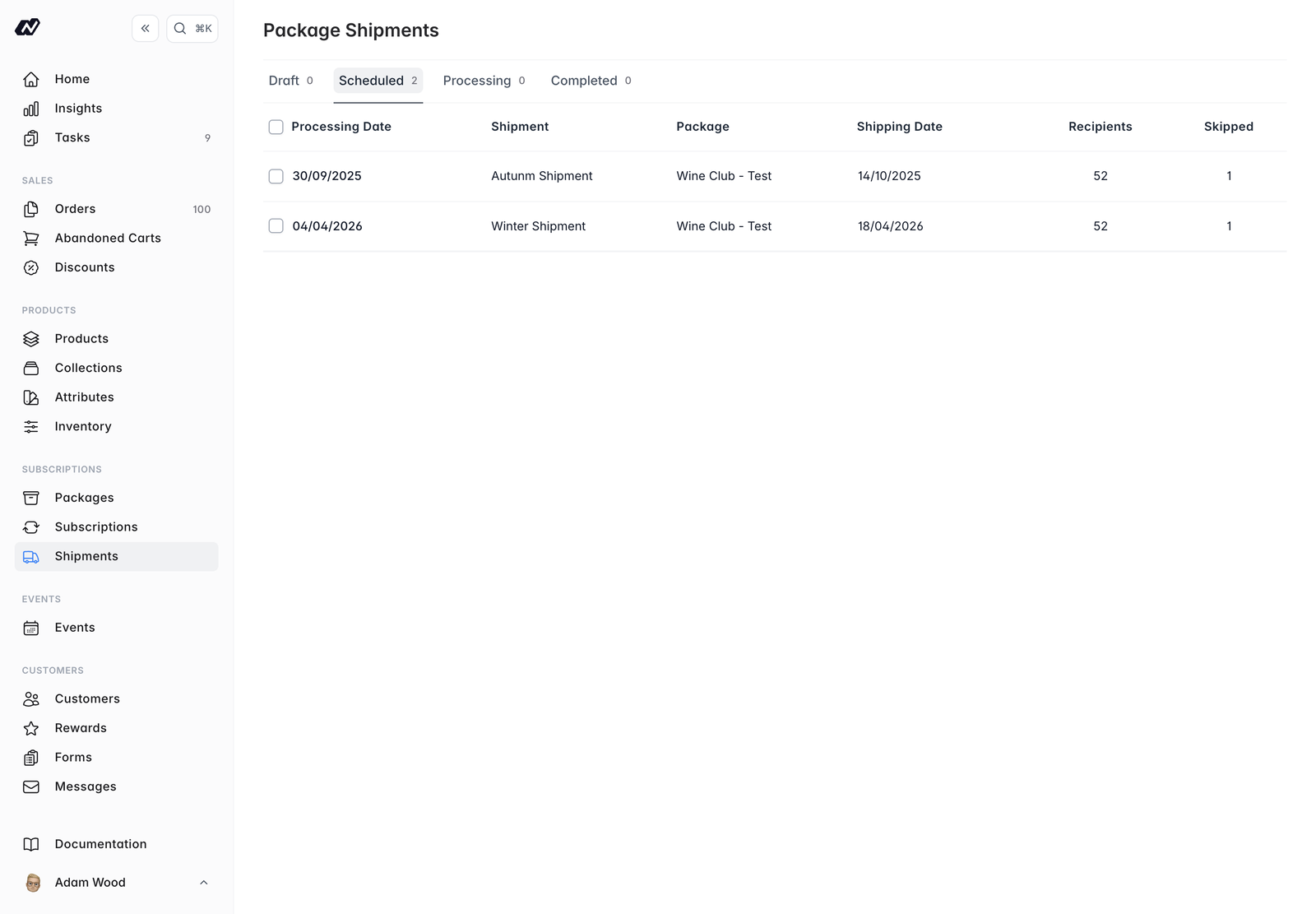 Batch shipments apply to **variable** packages only. Variable packages also have a **Shipments** tab on the package detail screen, where you schedule the changing shipments over time. See [Packages](/subscriptions/packages).
## Shipment statuses
Shipments move through status tabs:
* **Draft** — not yet scheduled
* **Scheduled** — queued to go out
* **Processing** — currently being sent
* **Completed** — sent
## Recipients
Each shipment lists its **recipients**, along with **skipped** and **failed** counts.
Skipped and failed subscribers show the reason, so you can see why a shipment did not go out.
## Inventory estimates
View **inventory estimates** to see the stock a shipment needs before you send it:
* The **required** quantity per location
* The **available** quantity per location
You can **export** the inventory estimates.
Check the inventory estimates before completing a shipment so you know you have the stock to fulfil it.
## Completing a shipment
Once a shipment is ready, **complete** it to send it to its recipients.
Batch shipments apply to **variable** packages only. Variable packages also have a **Shipments** tab on the package detail screen, where you schedule the changing shipments over time. See [Packages](/subscriptions/packages).
## Shipment statuses
Shipments move through status tabs:
* **Draft** — not yet scheduled
* **Scheduled** — queued to go out
* **Processing** — currently being sent
* **Completed** — sent
## Recipients
Each shipment lists its **recipients**, along with **skipped** and **failed** counts.
Skipped and failed subscribers show the reason, so you can see why a shipment did not go out.
## Inventory estimates
View **inventory estimates** to see the stock a shipment needs before you send it:
* The **required** quantity per location
* The **available** quantity per location
You can **export** the inventory estimates.
Check the inventory estimates before completing a shipment so you know you have the stock to fulfil it.
## Completing a shipment
Once a shipment is ready, **complete** it to send it to its recipients.