> ## Documentation Index
> Fetch the complete documentation index at: https://docs.marzipan.co/llms.txt
> Use this file to discover all available pages before exploring further.
# Roles & Team
> Manage your team and control what each member can do with roles.
Roles let you control exactly what each member of your team can do, and the Team area is where you add people and assign those roles.
## Roles
Navigate to **Settings > Roles** to manage roles.
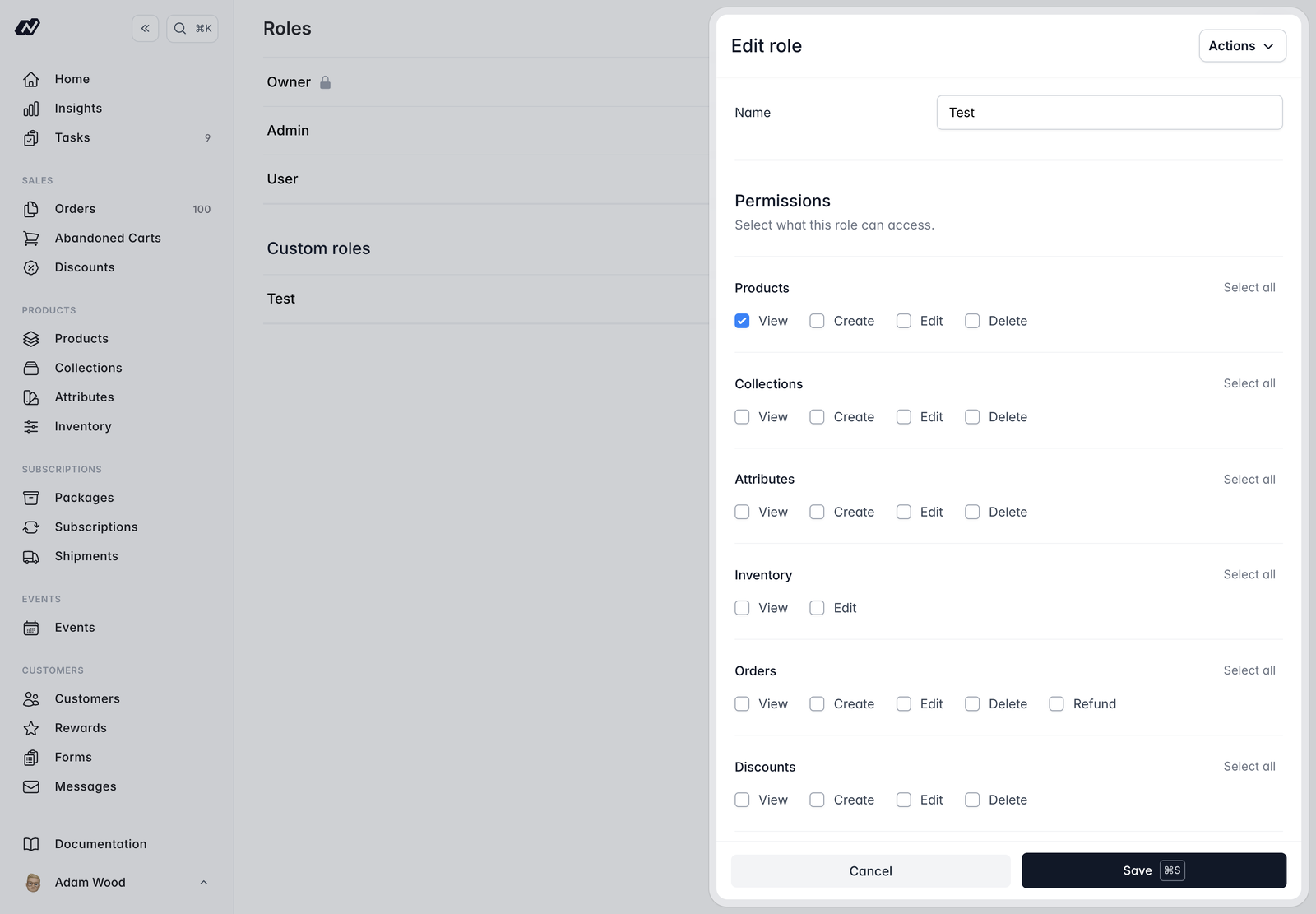 Create roles with **granular permissions** grouped by area. Each group has **select-all** and **deselect-all** controls so you can grant a whole area at once. Permission groups cover:
* **Products**
* **Collections**
* **Attributes**
* **Inventory**
* **Orders** — including refunds
* **Discounts**
* **Customers**
* **Subscriptions** — including pause and cancel
* **Subscription Packages**
* **Shipments**
* **Events**
* **CMS**
* **Media**
* **Flows**
* **Marketing**
* **Insights** — per report
* **Abandoned Carts**
* **Rewards**
* **Forms**
* **Settings**
* **Team**
* **Integrations**
* **Roles**
* **POS / Tap to Pay**
**System roles** have every permission and can't be edited. Create your own role when you need a tailored set of permissions.
## Team
Navigate to **Settings > Team** to manage your team.
The Team page lists your users alongside their assigned role. From here you can **add or invite** new users and give each one a role.
Each member also opts into which **notifications** they receive, including [low-stock alerts](/settings/inventory).
Create roles with **granular permissions** grouped by area. Each group has **select-all** and **deselect-all** controls so you can grant a whole area at once. Permission groups cover:
* **Products**
* **Collections**
* **Attributes**
* **Inventory**
* **Orders** — including refunds
* **Discounts**
* **Customers**
* **Subscriptions** — including pause and cancel
* **Subscription Packages**
* **Shipments**
* **Events**
* **CMS**
* **Media**
* **Flows**
* **Marketing**
* **Insights** — per report
* **Abandoned Carts**
* **Rewards**
* **Forms**
* **Settings**
* **Team**
* **Integrations**
* **Roles**
* **POS / Tap to Pay**
**System roles** have every permission and can't be edited. Create your own role when you need a tailored set of permissions.
## Team
Navigate to **Settings > Team** to manage your team.
The Team page lists your users alongside their assigned role. From here you can **add or invite** new users and give each one a role.
Each member also opts into which **notifications** they receive, including [low-stock alerts](/settings/inventory).