> ## Documentation Index
> Fetch the complete documentation index at: https://docs.marzipan.co/llms.txt
> Use this file to discover all available pages before exploring further.
# Markets
> Sell in more than one currency with regional markets and pricing.
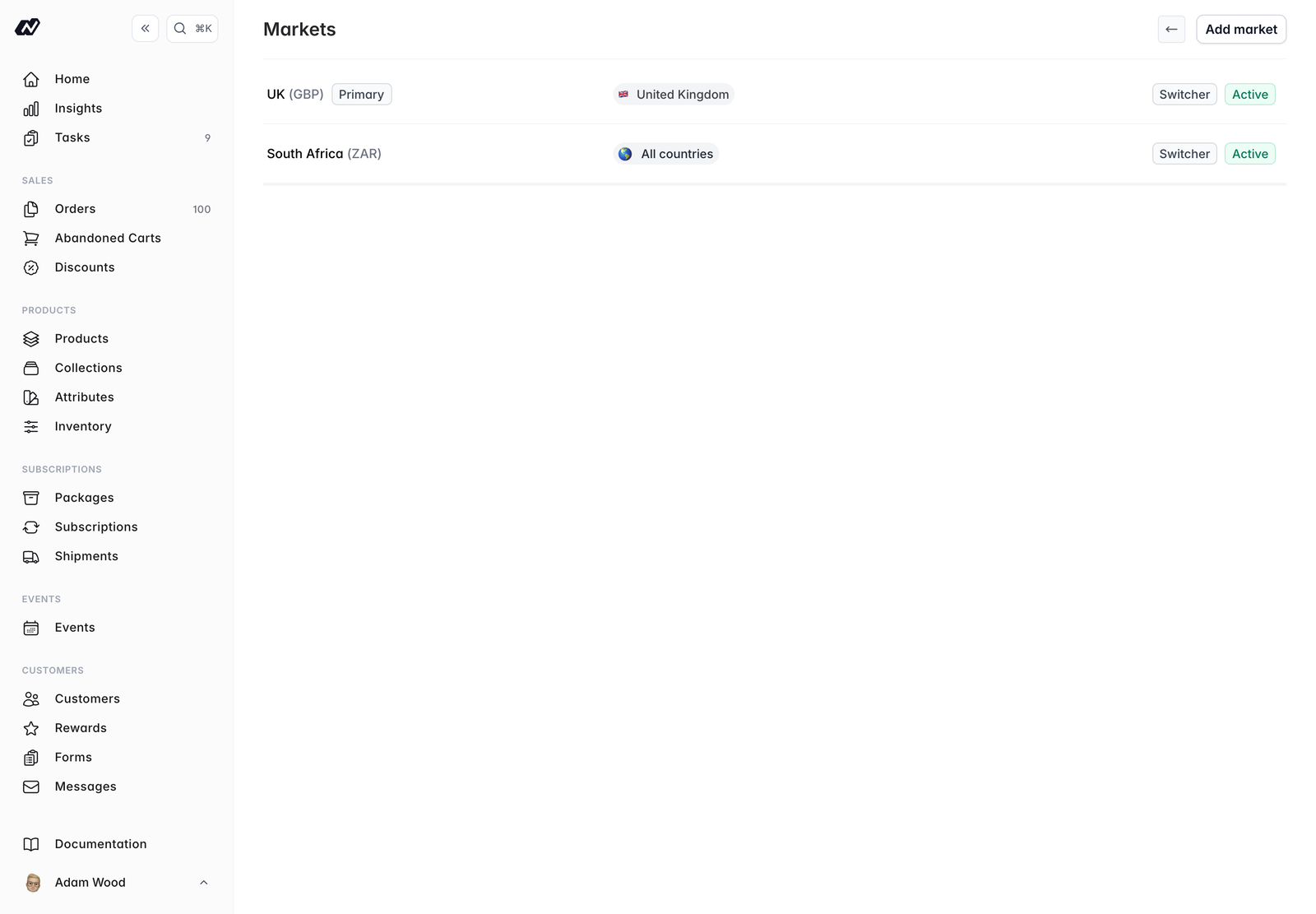
Markets let you sell in more than one currency and tailor pricing to different regions. Each market defines a currency and the prices customers in that region see.
Navigate to **Settings > Markets** to manage your markets.
Your **primary market** is created automatically from your store's default currency. It's the market customers fall back to when no other applies, so you always have at least one.
 ## Adding or editing a market
Click a market to edit it, or add a new one. Each market has the following options.
* **Name** — A label for the market, such as `Europe` or `United States`
* **Active** — Whether the market is available to customers
* **Show in currency switcher** — Lets customers choose this market manually from the storefront currency switcher
* **Primary market** — Marks this as your default market. This **cannot be changed once you have orders, subscriptions, or customers**
* **Inventory location** — An optional default [inventory location](/settings/inventory) for orders in this market
* **Payment provider** — The gateway used for the market (**Stripe** or **PayFast**)
* **Currency** — The currency code and symbol, for example `EUR` and `€`
* **Exchange rate** — The rate from your base currency, used to convert prices. Fixed at `1.0` for the primary market
* **Rounding precision** — How converted prices are rounded: `0` rounds to the nearest whole unit, `1` to the nearest 10 minor units, and `2` applies no rounding
* **Countries** — Customers in these countries see this market automatically
## How a customer's market is chosen
When a customer visits your store, Marzipan works through the following order and uses the first that applies:
A market chosen directly by the customer, through the currency switcher or a link.
A signed-in customer's previously saved market.
A market matched automatically from the customer's location.
If none of the above apply, the customer sees your primary market.
## Per-market pricing
On products, events, and subscription packages you can set optional **price**, **sale price**, and **subscriber price** overrides for each market. Where you don't set an override, prices convert automatically from your base price using the market's exchange rate.
## Per-market visibility
You can show or hide individual products, events, and packages per market, so each region only sees what's relevant to it.
Set **per-market free-shipping messages** under **Web Components > Cart**.
## Archiving and deleting markets
* **Archive** a market that has history — orders, subscriptions, or customers — to remove it from use while keeping its records intact
* **Delete** a market that's unused and has no history
## Adding or editing a market
Click a market to edit it, or add a new one. Each market has the following options.
* **Name** — A label for the market, such as `Europe` or `United States`
* **Active** — Whether the market is available to customers
* **Show in currency switcher** — Lets customers choose this market manually from the storefront currency switcher
* **Primary market** — Marks this as your default market. This **cannot be changed once you have orders, subscriptions, or customers**
* **Inventory location** — An optional default [inventory location](/settings/inventory) for orders in this market
* **Payment provider** — The gateway used for the market (**Stripe** or **PayFast**)
* **Currency** — The currency code and symbol, for example `EUR` and `€`
* **Exchange rate** — The rate from your base currency, used to convert prices. Fixed at `1.0` for the primary market
* **Rounding precision** — How converted prices are rounded: `0` rounds to the nearest whole unit, `1` to the nearest 10 minor units, and `2` applies no rounding
* **Countries** — Customers in these countries see this market automatically
## How a customer's market is chosen
When a customer visits your store, Marzipan works through the following order and uses the first that applies:
A market chosen directly by the customer, through the currency switcher or a link.
A signed-in customer's previously saved market.
A market matched automatically from the customer's location.
If none of the above apply, the customer sees your primary market.
## Per-market pricing
On products, events, and subscription packages you can set optional **price**, **sale price**, and **subscriber price** overrides for each market. Where you don't set an override, prices convert automatically from your base price using the market's exchange rate.
## Per-market visibility
You can show or hide individual products, events, and packages per market, so each region only sees what's relevant to it.
Set **per-market free-shipping messages** under **Web Components > Cart**.
## Archiving and deleting markets
* **Archive** a market that has history — orders, subscriptions, or customers — to remove it from use while keeping its records intact
* **Delete** a market that's unused and has no history