> ## Documentation Index
> Fetch the complete documentation index at: https://docs.marzipan.co/llms.txt
> Use this file to discover all available pages before exploring further.
# Integrations
> Connect your store to fulfilment, courier, marketing, analytics, and labelling services.
Integrations connect your store to third-party services for fulfilment, couriers, marketing, analytics, and labelling.
Navigate to **Settings > Integrations**, which shows two lists: **Installed** integrations and **Available** integrations. To install one, click it. Each integration shows whether it's `active` or `inactive`, along with a test-mode badge that follows the global [test mode](/settings/test-mode) toggle.
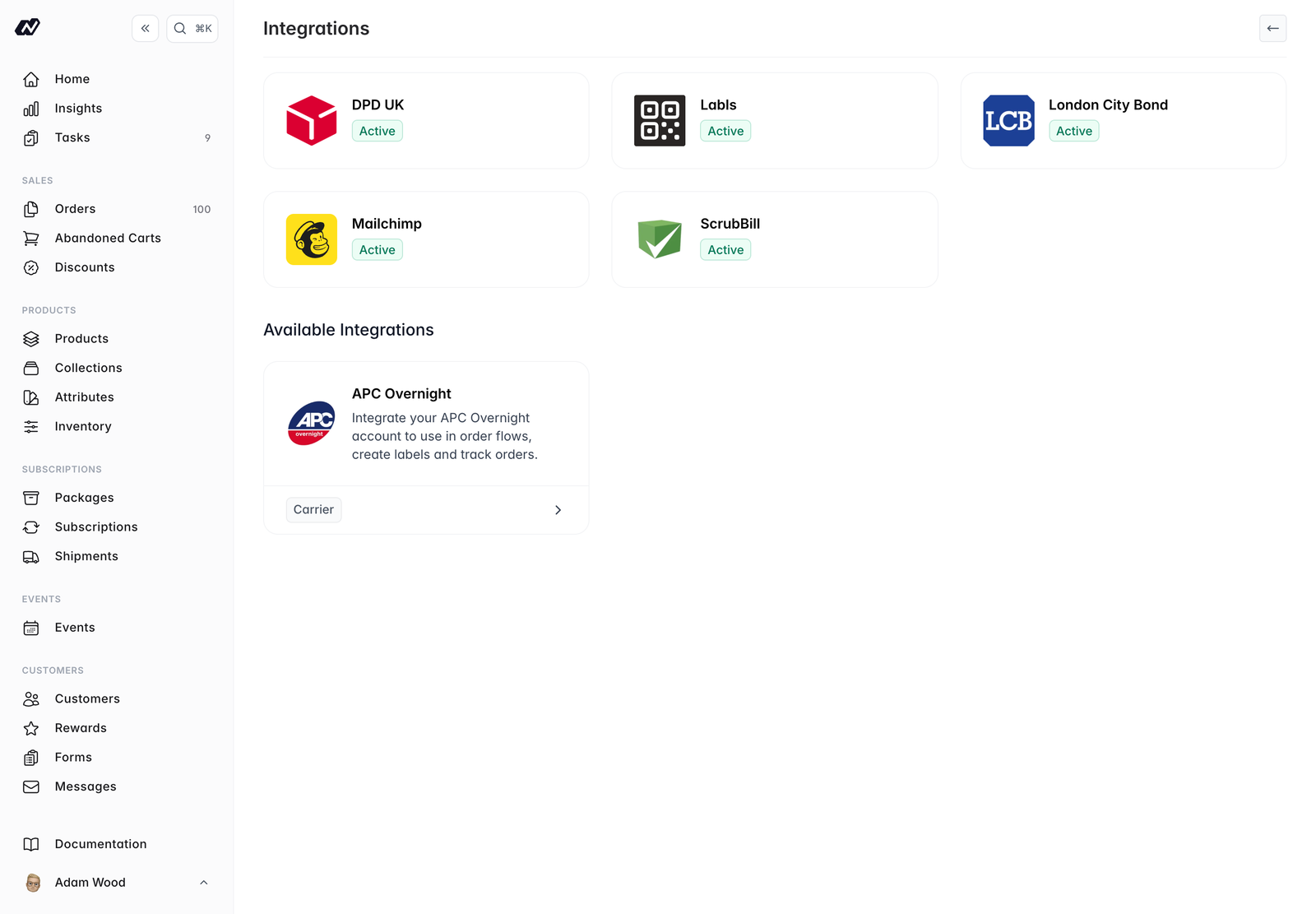 ## Available integrations
* **London City Bond** — Bonded-warehouse fulfilment. Stock also syncs into a dedicated [inventory](/settings/inventory) location.
* **Robert Guy** — Third-party logistics
* **Mailchimp** — Sync customers and subscribers to your Mailchimp audience
* **ScrubBill** — Third-party logistics and fulfilment
* **DPD** — Courier integration
* **APC Overnight** — Courier integration
* **Fathom Analytics** — View website analytics directly in your Marzipan dashboard
* **Labls** — Create compliant electronic wine labels (e-labels). Connect your Labls account, then link a product to generate its e-label — the QR code and ingredient and nutritional information required on your physical label. Product details sync to Labls automatically, and a QR-code icon appears on linked products.
## Managing an integration
Each integration has its own settings page once installed, where you configure its options. Open it from the **Installed** list at any time.
## Available integrations
* **London City Bond** — Bonded-warehouse fulfilment. Stock also syncs into a dedicated [inventory](/settings/inventory) location.
* **Robert Guy** — Third-party logistics
* **Mailchimp** — Sync customers and subscribers to your Mailchimp audience
* **ScrubBill** — Third-party logistics and fulfilment
* **DPD** — Courier integration
* **APC Overnight** — Courier integration
* **Fathom Analytics** — View website analytics directly in your Marzipan dashboard
* **Labls** — Create compliant electronic wine labels (e-labels). Connect your Labls account, then link a product to generate its e-label — the QR code and ingredient and nutritional information required on your physical label. Product details sync to Labls automatically, and a QR-code icon appears on linked products.
## Managing an integration
Each integration has its own settings page once installed, where you configure its options. Open it from the **Installed** list at any time.