> ## Documentation Index
> Fetch the complete documentation index at: https://docs.marzipan.co/llms.txt
> Use this file to discover all available pages before exploring further.
# Tiers and Perks
> Create the levels customers progress through, and the benefits each one unlocks
Tiers are the levels customers progress through as they earn points. Perks are the benefits each tier gives its members. Create and manage both in the Rewards area of the main navigation.
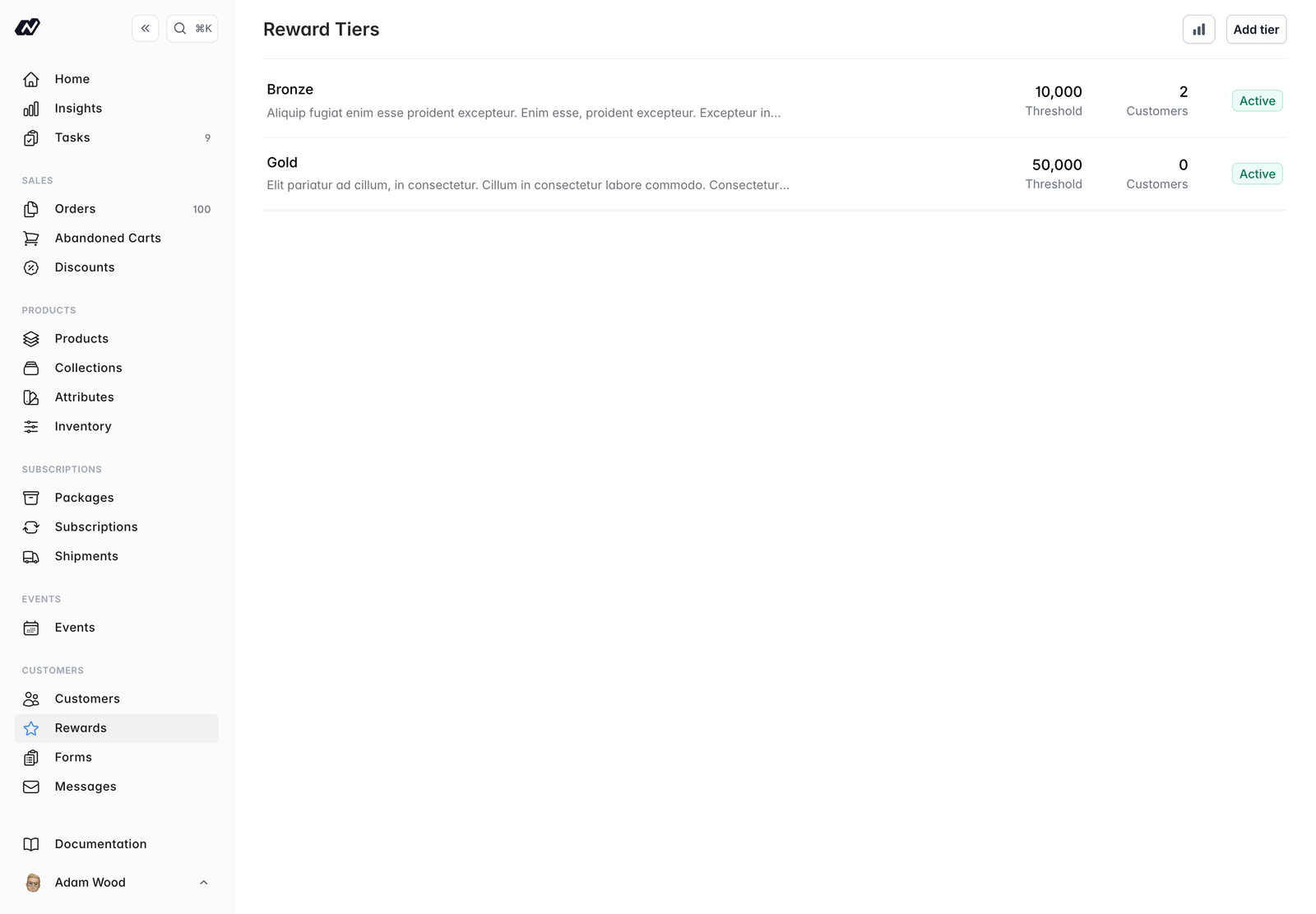 ## Tiers
Each tier has:
* **Name** - the tier's name
* **Points required** - the points threshold a customer must reach to join the tier
* **Badge colour** - the colour used for the tier's badge
* **Active** - a toggle to turn the tier on or off
* **Description** - a short description of the tier
Drag tiers to reorder them by threshold.
Customers move between tiers automatically as their points balance changes. You can email them when they do — see [Earning & Redemption](/rewards/earning-and-redemption).
### Tier details
Opening a tier shows:
* Its current **members**
* A **history** of customers joining and leaving the tier
## Perks
Perks are the benefits a tier gives its members. Add as many as you like to each tier.
Each perk has:
* **Name** - what you call the perk
* **Type** - `Discount`, `Free Shipping`, `Early Access`, `Events` or `Other`
* **Subscription** - optionally restrict the perk to a particular subscription
* **Description** - the free-text description you write
A perk is simply a name, a type and the description you write. There is no per-type configuration — no percentage field, no product picker. Use the description to explain the benefit to your customers in your own words.
You can adjust an individual customer's tier from the **Rewards** tab on their [profile](/customers/details).
## Tiers
Each tier has:
* **Name** - the tier's name
* **Points required** - the points threshold a customer must reach to join the tier
* **Badge colour** - the colour used for the tier's badge
* **Active** - a toggle to turn the tier on or off
* **Description** - a short description of the tier
Drag tiers to reorder them by threshold.
Customers move between tiers automatically as their points balance changes. You can email them when they do — see [Earning & Redemption](/rewards/earning-and-redemption).
### Tier details
Opening a tier shows:
* Its current **members**
* A **history** of customers joining and leaving the tier
## Perks
Perks are the benefits a tier gives its members. Add as many as you like to each tier.
Each perk has:
* **Name** - what you call the perk
* **Type** - `Discount`, `Free Shipping`, `Early Access`, `Events` or `Other`
* **Subscription** - optionally restrict the perk to a particular subscription
* **Description** - the free-text description you write
A perk is simply a name, a type and the description you write. There is no per-type configuration — no percentage field, no product picker. Use the description to explain the benefit to your customers in your own words.
You can adjust an individual customer's tier from the **Rewards** tab on their [profile](/customers/details).