> ## Documentation Index
> Fetch the complete documentation index at: https://docs.marzipan.co/llms.txt
> Use this file to discover all available pages before exploring further.
# Segments
> Group your customers into dynamic segments based on their behaviour and attributes.
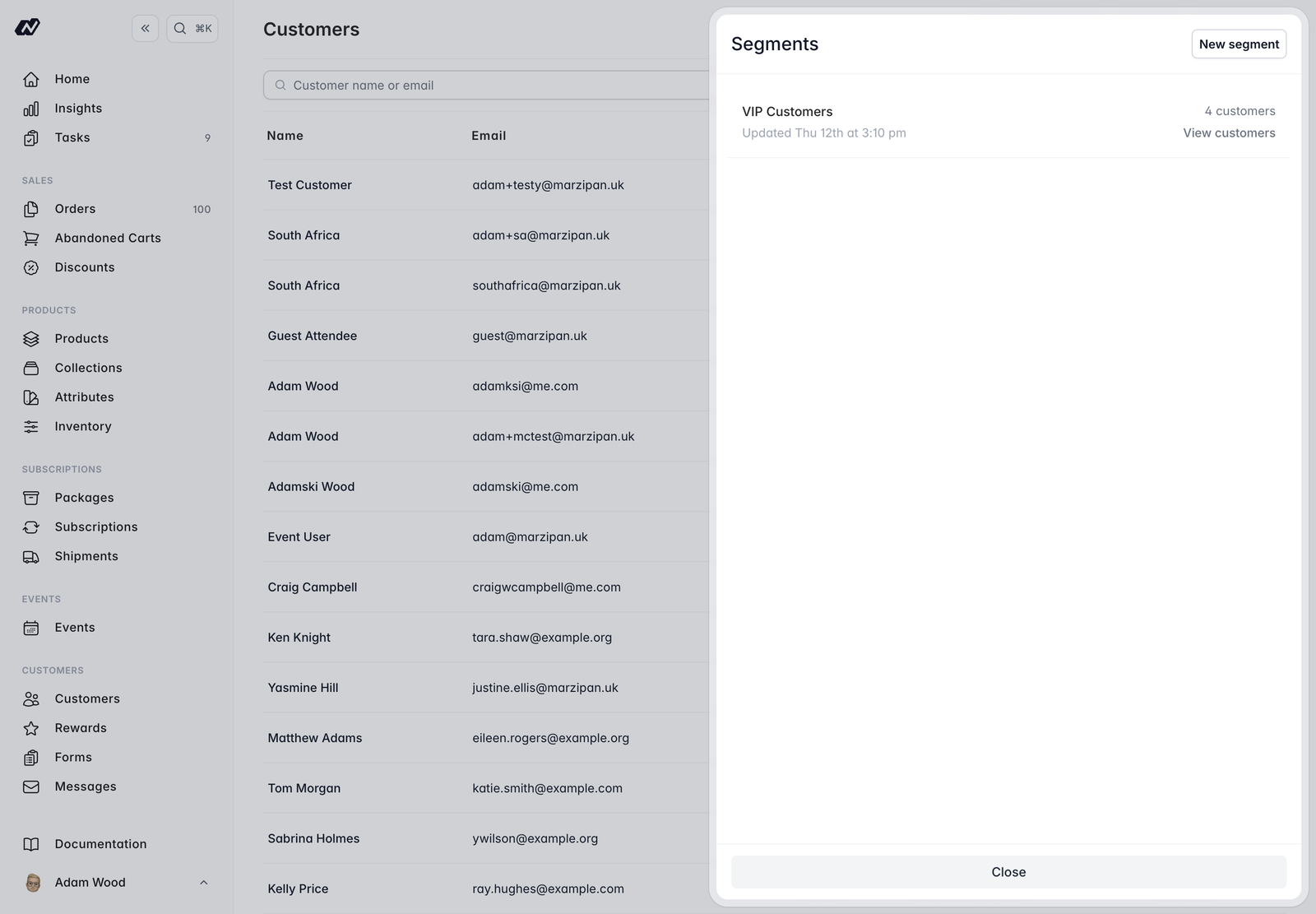
A segment is a dynamic group of customers built from conditions you choose. Membership updates automatically as customers meet or stop meeting those conditions, so you never have to maintain a list by hand.
You manage segments from the **Customers** page — click **Segments** in the top-right.
 ## Building a segment
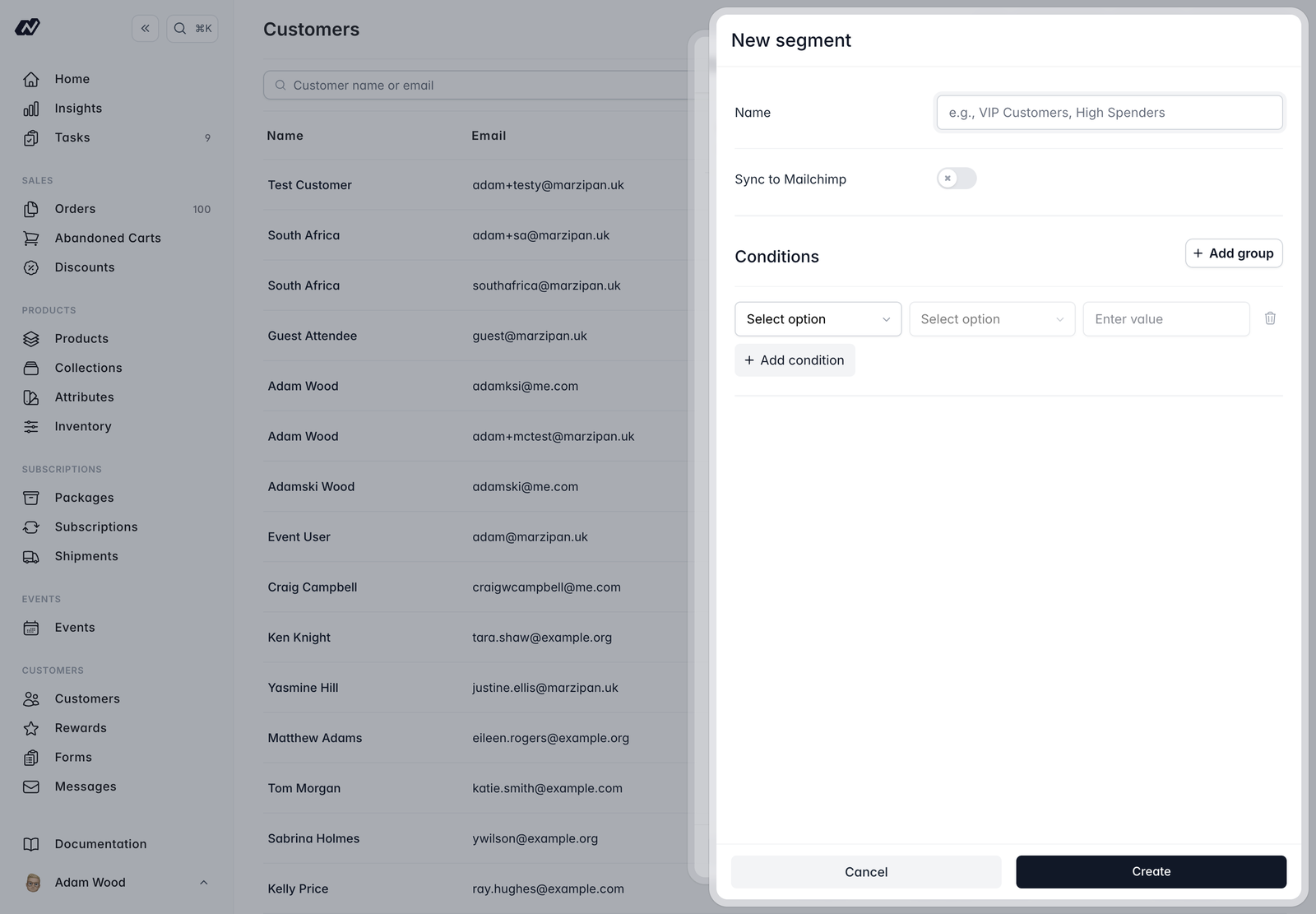
Each segment has:
* **Name** — a label for the segment.
* **Sync to Mailchimp** — an optional toggle to keep the segment in step with a Mailchimp tag (see [Mailchimp sync](#mailchimp-sync) below).
* **Condition builder** — the rules that decide who belongs to the segment.
The condition builder uses rows of **\[condition] \[modifier] \[value]**. Within a group, choose **Match all** to require every row (AND) or **Match any** to require just one (OR). If you add multiple groups, the groups always combine with AND.
## Building a segment
Each segment has:
* **Name** — a label for the segment.
* **Sync to Mailchimp** — an optional toggle to keep the segment in step with a Mailchimp tag (see [Mailchimp sync](#mailchimp-sync) below).
* **Condition builder** — the rules that decide who belongs to the segment.
The condition builder uses rows of **\[condition] \[modifier] \[value]**. Within a group, choose **Match all** to require every row (AND) or **Match any** to require just one (OR). If you add multiple groups, the groups always combine with AND.
 ### Available conditions
| Condition | Modifiers |
| :-------------------------- | :------------------------------------ |
| **Tag** | has / does not have |
| **Customer type** | is / is not |
| **Email status** | subscribed / unsubscribed / bounced |
| **Archived status** | — |
| **Market** | — |
| **Created date** | before / after / on |
| **Lifetime revenue** | greater than / less than |
| **Order count** | greater than / less than / equal to |
| **Subscription status** | active / expired / paused / cancelled |
| **Has active subscription** | — |
| **Submitted form** | has / has not submitted a given form |
| **Reward tier** | is / is not |
| **Reward points** | greater than / less than / equal to |
## Managing a segment
Membership is evaluated and cached, so a segment's customers are ready to view at any time. From a segment you can:
* **View its customers** — see everyone who currently matches.
* **Sync now** — re-evaluate membership straight away.
* **Export** — download the members as a CSV file.
* Delete the segment.
## Mailchimp sync
Connect Mailchimp under **Settings > Integrations**. When you turn on **Sync to Mailchimp** for a segment, Marzipan creates a tag named `Segment: {name}` on your default audience and syncs only the subscribed members, pushing their tag and membership. Customers who aren't subscribed are left out.
Reward and address data reach Mailchimp as **merge fields** through the separate per-customer sync, not through segment syncing.
### Available conditions
| Condition | Modifiers |
| :-------------------------- | :------------------------------------ |
| **Tag** | has / does not have |
| **Customer type** | is / is not |
| **Email status** | subscribed / unsubscribed / bounced |
| **Archived status** | — |
| **Market** | — |
| **Created date** | before / after / on |
| **Lifetime revenue** | greater than / less than |
| **Order count** | greater than / less than / equal to |
| **Subscription status** | active / expired / paused / cancelled |
| **Has active subscription** | — |
| **Submitted form** | has / has not submitted a given form |
| **Reward tier** | is / is not |
| **Reward points** | greater than / less than / equal to |
## Managing a segment
Membership is evaluated and cached, so a segment's customers are ready to view at any time. From a segment you can:
* **View its customers** — see everyone who currently matches.
* **Sync now** — re-evaluate membership straight away.
* **Export** — download the members as a CSV file.
* Delete the segment.
## Mailchimp sync
Connect Mailchimp under **Settings > Integrations**. When you turn on **Sync to Mailchimp** for a segment, Marzipan creates a tag named `Segment: {name}` on your default audience and syncs only the subscribed members, pushing their tag and membership. Customers who aren't subscribed are left out.
Reward and address data reach Mailchimp as **merge fields** through the separate per-customer sync, not through segment syncing.